Email campaign builder
Solution to a problem
This project is an MJML-based email campaign builder that lets you develop, preview, and export multiple email templates across multiple clients and campaigns from a single codebase. Its value is in making email production repeatable and scalable: the same build tooling, component library, and preview UI can be reused, while still allowing each client/campaign to have its own templates, content, and branding.
It was built originally to solve an internal agency workflow problem: reviewing large batches of campaign emails and sharing progress with clients quickly. In practice, a single campaign could mean hundreds of emails—not because every email was uniquely designed, but because the same template was localized into many languages and variants where only the copy changed. This project made that scalable by separating template structure from copy, generating consistent outputs per language/variation, and providing a simple preview/export surface that teams could use to review and deliver work-in-progress to clients without friction.
Key features (Developer perspective)
From a developer POV, the project is organized around configuration-driven builds. Clients and campaigns are defined in a central config, and builds can be scoped to a single client (useful for isolated development and safer deliveries) or run across everything. Templates are code (MJML + shared components) and content is data-driven, which keeps layout logic separate from copy.
A shared component library sits underneath templates so common patterns (buttons, header/footer, reusable layout primitives) don't get reimplemented per campaign. This makes it easier to keep styling consistent, improve accessibility once, and update many templates safely.
The build process produces static HTML outputs with a deterministic folder structure, and it includes cleanup so removed templates/variations/languages don't leave stale artifacts in the output folder. This makes builds “truthful”: the output mirrors what exists in source.
Key features (Project manager perspective)
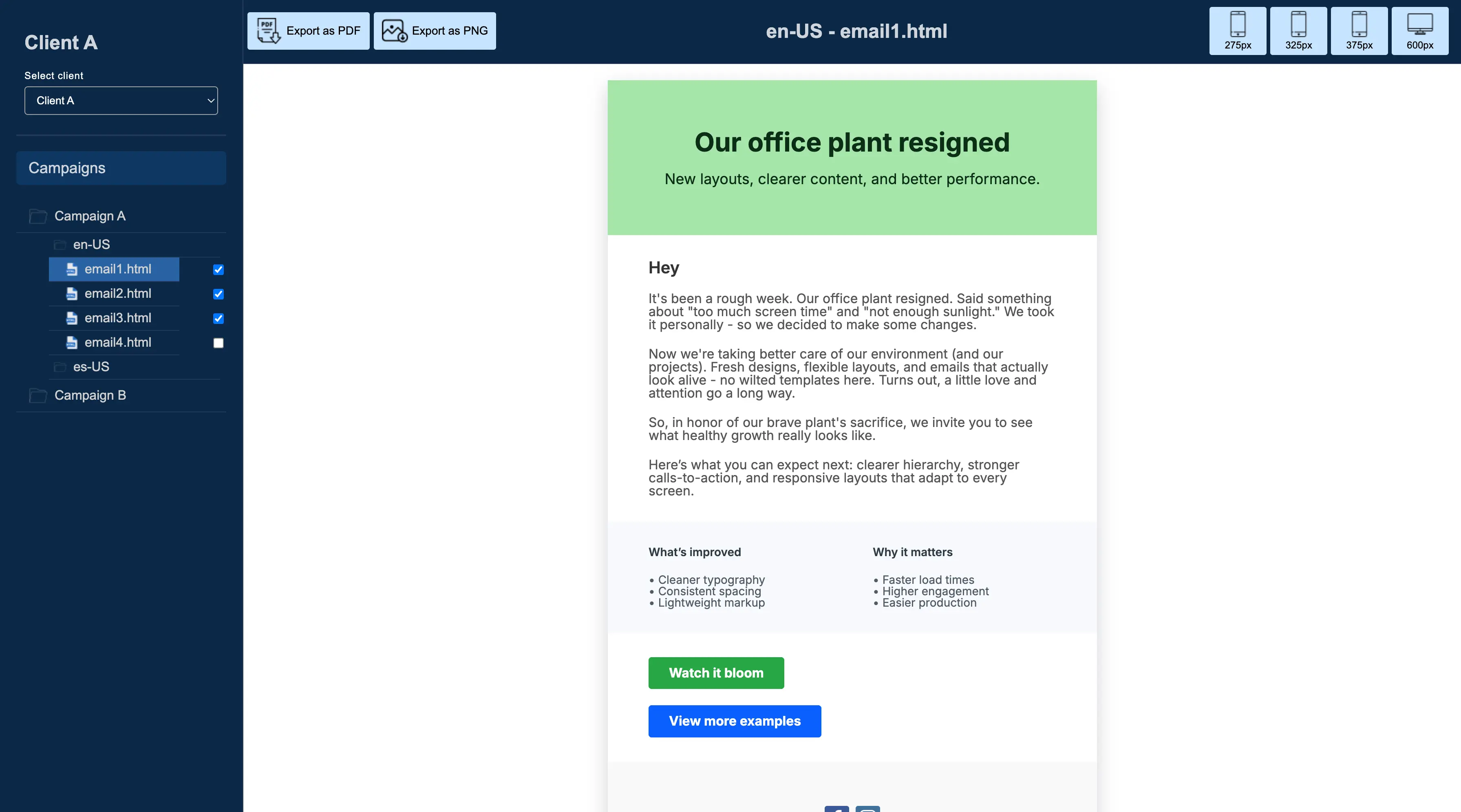
From a PM/stakeholder POV, the preview UI is the hub for review and delivery. Emails can be browsed by client, campaign, language, and email variation, then exported as PNG or PDF. Exports respect the selected screen width (defaulting to 600px), and PDF export paginates long emails so content continues onto the next page instead of being cut off.
Because builds can be scoped to a single client, it's easy to generate and share just the relevant output with a specific client—without exposing other clients' assets or drafts. This also supports parallel work: multiple clients/campaigns can be developed independently without breaking each other.
Technologies used
The project uses Node.js for the build pipeline and local server, MJML for responsive email markup, and a lightweight vanilla HTML/CSS/JavaScript preview UI. For exporting, it uses browser-side rendering to generate PNG and PDF outputs, and it packages multiple PNGs into a single ZIP for convenient downloading.
How the workflow looks in practice
A typical workflow starts with selecting (or creating) a client and campaign, then defining one or more templates for that campaign. The campaign establishes the shared baseline (theme/layout/footer), while each template defines its own section structure (e.g., hero + feature grid vs. announcement + FAQ).
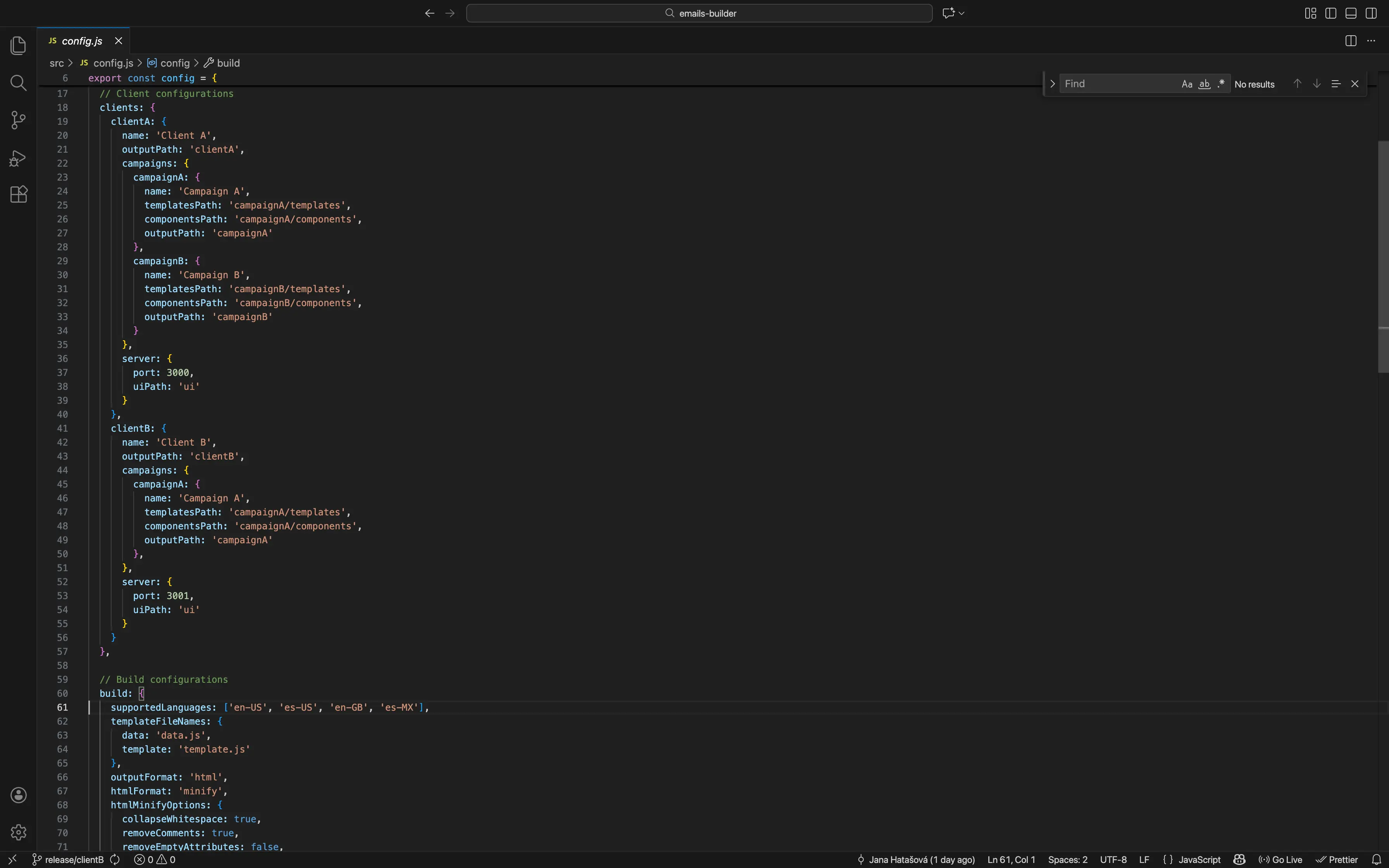
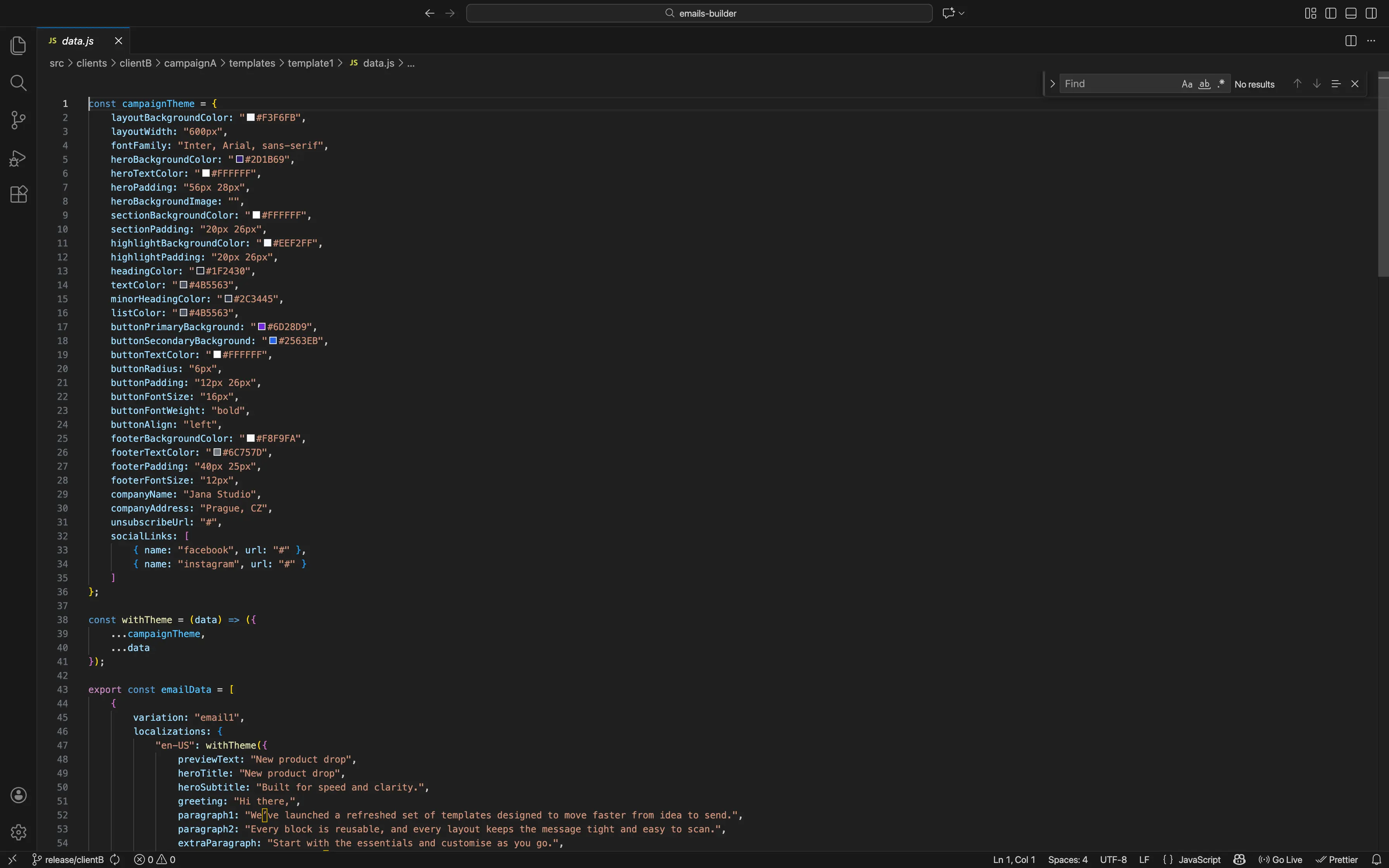
Next, copy is authored in data.js per template, split by language (e.g., en‑US, es‑US) and by email variation. This is where headlines, body text, CTAs, links, and any per-variation values live—so localized versions can scale without duplicating template markup.
When you run the build (optionally scoped to a single client), the system generates static HTML outputs into a predictable folder structure. The preview UI then lets you browse by client → campaign → language → email, review the rendered output, and quickly spot layout or copy issues.
Finally, for stakeholder review or delivery, you can select one or more emails and export them as PNG (zipped) or PDF (with long emails continuing across pages). This makes it easy to share progress with a client—either as individual assets or as a set—without exposing other clients' work or requiring them to run the project locally.
Next steps (planned improvements)
A natural next step is adding “Send test email” via Brevo directly from the preview UI (select an email, enter a recipient address, send). That closes the loop from “build → preview → export” to “build → preview → send,” which is often the fastest path to validate rendering in real inboxes.
Notes/comments on emails (per variation and language) to capture feedback and approval status without external spreadsheets.
Unit tests for the build pipeline (output paths, cleanup behavior, template discovery, language scoping) and for shared components (ensuring valid MJML attributes, consistent defaults).
A small validation layer to catch missing copy keys or invalid MJML props early with clear error messages.
Areas to improve further
If the project grows (more components, more clients, heavier UI), a next improvement could be adding a formal bundling step (e.g., Vite/Webpack) primarily for long-term maintainability: automatic minification, cache busting, and easier dependency management. Another worthwhile enhancement is stronger accessibility defaults (consistent landmarks, alt text patterns, focus states) baked into shared components so every new template inherits good practices automatically.
On the technical side, improving the build performance (e.g., by parallelizing builds or caching unchanged templates) would make it more efficient as the number of clients/campaigns grows. Enhancing the preview UI with features like side-by-side comparisons of variations or a more advanced filtering system would further streamline the review process.